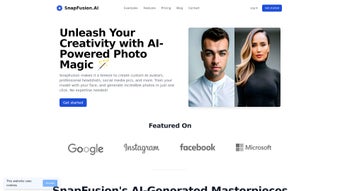

Download SnapFusion – AI Design Web App, Free Secure Download
Introduction
SnapFusion arrives at a time when designers, marketers, and developers are looking for faster ways to produce high‑impact visual content without the steep learning curve of traditional desktop suites. As a fully cloud‑based, AI‑powered design platform, SnapFusion leverages large language‑vision models to interpret natural‑language prompts and turn them into polished layouts, color palettes, typography suggestions, and vector graphics—all within a web browser. Launched on Softonic in August 2024, the service is positioned as a free‑to‑use core offering with optional premium add‑ons for advanced export options, brand‑specific AI models, and priority support.
Because the application runs as a progressive web app (PWA), users can install it on Windows, macOS, Linux, Android, or iOS devices and enjoy an experience that feels native while still benefitting from continuous server‑side updates. Security is a central focus: all data is transmitted over TLS 1.3, and users can enable end‑to‑end encryption for stored projects. Whether you are crafting a social media post, a website mock‑up, or a full brand guideline, SnapFusion promises a blend of creativity, automation, and collaboration that can dramatically reduce project turnaround times.
In the sections that follow we will dive deep into the most compelling features, walk through a step‑by‑step installation and usage guide, explore platform compatibility, weigh the advantages and disadvantages, and answer the most common questions asked by new users. By the end of this review you will have a clear picture of whether SnapFusion is the right addition to your design toolkit and how to get started with a secure, free download.
Key Features of SnapFusion
SnapFusion’s feature set is built around the principle of “design by conversation.” The AI engine interprets concise text prompts and instantly generates multiple design concepts, allowing users to iterate faster than ever before. Each feature is tightly integrated with the web interface, meaning you never need to switch between separate tools or export/import files. Below is a comprehensive list of the capabilities that set SnapFusion apart from both classic graphic editors and newer AI‑driven competitors.
- AI‑Generated Layouts: Provide a brief description of your project (e.g., “modern tech conference flyer with blue accents”) and receive three distinct layout options in seconds.
- Smart Color Palette Suggestions: Based on brand guidelines or mood keywords, the system auto‑creates harmonious color schemes that can be fine‑tuned with a slider.
- Typography Matching: The AI recommends font pairings that complement the visual style, improving readability and brand consistency.
- Vector Graphic Creation: Turn simple sketches or textual descriptions into scalable SVG assets ready for export or further editing.
- One‑Click Export: Export designs to PNG, JPEG, SVG, or PDF with preset resolutions for web, print, or social media.
- Collaboration Hub: Share a secure link, comment in real time, and merge feedback without leaving the browser.
- Template Library: Access a growing collection of pre‑made templates for flyers, ads, presentations, and more.
- Continuous Updates: New AI models and design trends are rolled out automatically, keeping the tool fresh.
- Cross‑Browser Compatibility: Works flawlessly on IE 11, Firefox, Chrome, Edge, Safari, and Opera.
- Privacy‑First Architecture: All user data is encrypted in transit, with optional end‑to‑end encryption for stored projects.
Together, these features create a workflow where the heavy lifting—layout composition, color theory, and vector creation—is handled by AI, while the user retains full creative control to adjust, refine, and personalize each output. The result is a powerful, accessible design platform that can serve both novices seeking guidance and seasoned professionals looking for rapid prototyping.
Installation, Usage & Compatibility
How to Install SnapFusion as a Progressive Web App
Because SnapFusion is delivered as a PWA, the installation process is essentially a secure download of a lightweight package that integrates with your operating system’s app launcher. Follow these steps for a seamless setup on any supported device:
- Visit the Official Landing Page: Open the SnapFusion page on Softonic or the developer’s website using a modern browser.
- Click the “Download” Button: This triggers a 5 MB PWA file that includes service workers for offline caching.
- Accept the Installation Prompt: Browsers such as Chrome, Edge, and Safari will display a prompt to “Add SnapFusion to your desktop” or “Install app.” Confirm the action.
- Create or Sign In to Your Account: Register with an email address or use Google/Apple SSO. A verification email finalizes the process.
- Launch the Application: After installation, a shortcut appears on your desktop or start menu. Clicking it opens SnapFusion in a dedicated window, behaving like native software.
First‑Time Usage Tips
Upon first launch, an onboarding wizard guides you through AI prompt syntax, template browsing, and collaboration tools. Try a simple prompt such as “minimalist business card with teal accents” to see the AI generate three options. You can then edit colors, swap fonts, or upload your own images. The interface includes a layer panel, a real‑time preview, and a history log that lets you revert changes without losing work. For teams, the “Share Project” button creates a secure link that can be sent to collaborators, who can comment directly on the canvas and suggest edits.
Operating System & Browser Compatibility
SnapFusion’s PWA runs on any OS that supports modern browsers: Windows 10/11, macOS 10.15+ (Catalina and later), Linux distributions with recent Chromium or Firefox builds, Android 8+ and iOS 13+. Because the core logic resides on cloud servers, the local hardware requirements are modest—any device capable of running a current browser will suffice.
The development team has specifically tested Internet Explorer 11 for legacy corporate environments, though performance is optimal on the latest versions of Chrome, Edge, Safari, and Firefox. Mobile users can add the PWA to their home screen, enabling offline caching of previously opened projects and push‑notification alerts for collaboration updates.
Pros and Cons of SnapFusion
Pros
- AI‑driven design accelerates creation, cutting project timelines dramatically.
- Core features are completely free, with optional premium add‑ons for power users.
- Cross‑platform and cross‑browser support eliminates hardware constraints.
- Real‑time collaboration streamlines feedback loops for remote teams.
- Continuous server‑side updates keep the tool aligned with the latest design trends.
- Secure data handling with TLS 1.3 encryption and optional end‑to‑end encryption protects intellectual property.
- Lightweight PWA installation means no bulky downloads or system clutter.
- Extensive template library provides a solid starting point for common design tasks.
Cons
- AI suggestions can sometimes feel generic and may require manual refinement.
- Full functionality depends on a stable internet connection; offline mode is limited to viewing cached projects.
- Advanced vector editing tools are less robust than those found in dedicated desktop applications.
- Documentation is still growing, so users may need to rely on community forums for advanced questions.
- Performance on very old browsers (pre‑IE11) is not guaranteed.
- Premium add‑ons, such as high‑resolution export, are subscription‑based.
Overall, SnapFusion delivers a compelling blend of AI creativity and web‑based convenience. While it may not replace high‑end desktop suites for pixel‑perfect precision, its speed, collaboration tools, and zero‑cost entry point make it an excellent choice for startups, small agencies, and freelancers looking to level up their design workflow without breaking the bank.
Conclusion – Should You Download SnapFusion?
SnapFusion stands out as a modern, AI‑powered design solution that lives entirely in the browser, making it accessible from virtually any device. Its free tier provides enough functionality for everyday design tasks, while optional premium features cater to power users who need high‑resolution exports, brand‑specific AI models, and priority support. The seamless integration with major browsers, secure data handling, and real‑time collaboration tools make it a strong contender for freelancers, small agencies, and even larger teams seeking to augment their creative workflow without the overhead of traditional software licenses.
If you value speed, flexibility, and a zero‑cost entry point, download SnapFusion now and experience AI‑enhanced design firsthand. Install the PWA, explore the template library, and let the AI generate your first concepts within minutes. As you become more comfortable, you can unlock premium add‑ons to access ultra‑high‑resolution exports and advanced brand controls. Give it a spin, share your feedback, and watch your creative process become faster, smarter, and more collaborative.
Frequently Asked Questions
Is SnapFusion really free?
Yes, the core features of SnapFusion are completely free. Premium add‑ons such as high‑resolution export, brand‑specific AI models, and priority support are offered as optional subscriptions.
Do I need a powerful computer to run SnapFusion?
No. Since SnapFusion runs in the browser, most heavy processing happens on cloud servers. A modern browser and a stable internet connection are sufficient for smooth operation.
Can I use SnapFusion offline?
A limited offline mode is available after installing the PWA; you can view previously opened projects, but AI generation and template browsing require an internet connection.
How secure is my data when I upload designs?
SnapFusion uses TLS 1.3 encryption for all data in transit and offers optional end‑to‑end encryption for stored projects, ensuring that only you and invited collaborators can access the files.
What browsers are officially supported?
The application is tested on Internet Explorer 11, Microsoft Edge, Google Chrome, Mozilla Firefox, Opera, and Apple Safari. For the best experience, use the latest version of Chrome, Edge, or Firefox.



.png)



